Features
More it can do, every week.
Everything here works today. Ask in your own words, by text or voice, in Arabic or English.
- Its own computerIt does the errand. You watch, then say yes.
- hafbot to hafbotYour hafbot plans things with your friends' hafbots.
- One calendarWork, personal and phone calendars in one view.
- Meetings and recordingsRecord a meeting. Get the notes and next steps.
- MoneyBank statements from your mail, month by month.
- TalkSpeak hands free. It answers out loud.
- Your own DriveEvery file you send, kept safe and easy to find.
- Photos on requestPictures and posters from a few words.
- InstagramPosts, messages and follow-ups, after your OK.
- Your own AI keysUse the AI account you already pay for.
- Bring your memoryBring what another AI assistant knows about you.
- Jobs while you sleepHand over tonight's jobs. Wake up to the results.
- Arabic firstOne tap and everything is in Arabic.
- Private by designYour own computer, your own key, your OK.
Its own computer
It does the errand on its own computer.
hafbot has a computer of its own in the cloud. It opens a real browser, fills in forms and bookings with your details, and stops for your OK before anything goes out.
- Watch it liveSee each step as it happens, or take over the screen yourself.
- Your details, filled inName, email, phone and the choices you made before, so it asks less.
- A card before it actsSending, paying, booking, posting, signing and deleting wait for your yes.
Try sayingBook a table for four at 8 tonight, somewhere near Dubai Marina.
PlansComputer time: 10 hours on the free week, 80 on Personal, 250 on Pro, 500 on Creator.
Learn more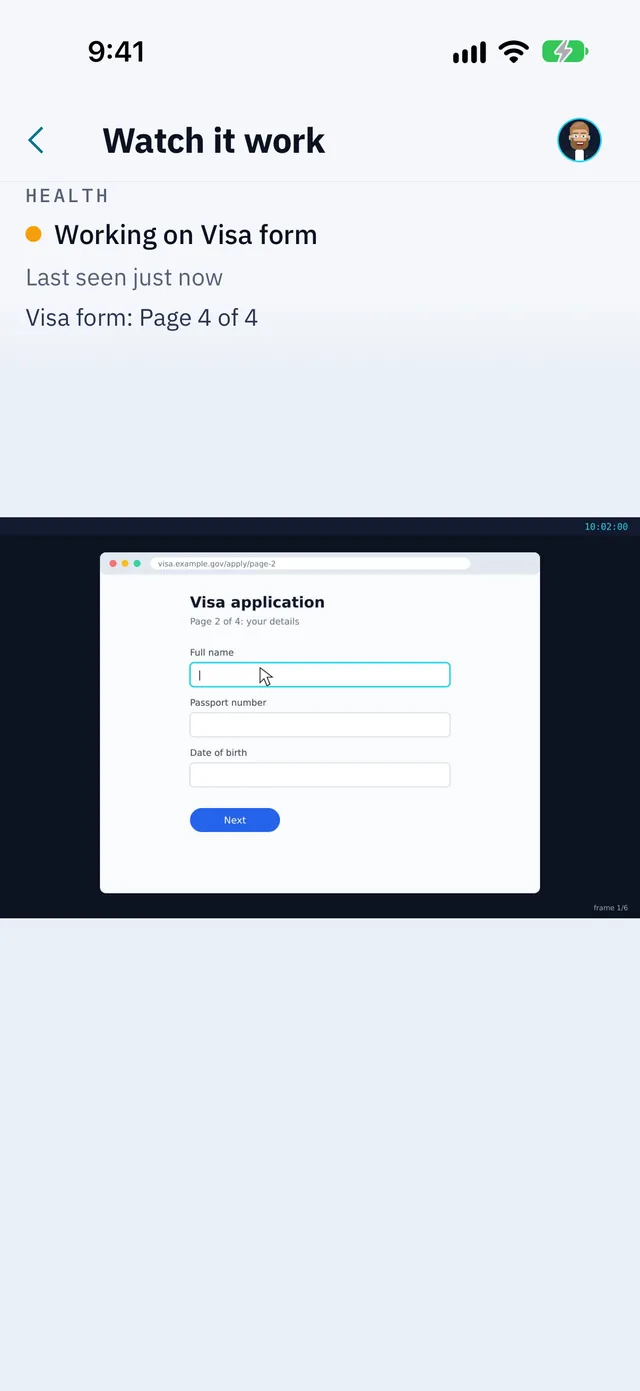
hafbot to hafbot
Your hafbot talks to theirs.
Add a friend by username or QR. Then ask your hafbot to find a time or plan something with them: it works it out with their hafbot, and both of you agree before anything is set.
- Ask a friend's hafbotFree or busy, yes or no, without a long back and forth.
- Plan something togetherA dinner, a call or a weekend, agreed by both of you.
- Only what you writeTheir hafbot never sees your calendar, notes, files or chats.
Try sayingFind a dinner time with Omar next week.
PlansIn the app on iPhone and Android. Groups and shared goals are coming soon.
Learn moreOne calendar
All your calendars, in one view.
Connect your work and personal calendars and add the ones on your phone. hafbot shows them together, answers "am I free?" and asks before it adds or moves anything.
- Everything togetherEach event shows where it came from, and repeats are merged.
- Ask in plain words"What do I have tomorrow?" or "Find me an hour on Thursday."
- Changes wait for youNew events and moves go through a card first.
Try sayingWhat do I have tomorrow, and when am I free?
PlansIn the iPhone and Android app.
Learn moreMeetings and recordings
Every meeting, with notes.
Record a meeting or a voice memo in the app. hafbot writes it up, pulls out who does what by when, and can turn the next steps into reminders or a follow up email after your OK.
- The notes, writtenA short summary, then the full text if you want it.
- Next stepsWho does what by when, ready to become reminders.
- Ask about it later"What did we agree with Lina last week?"
Try sayingWhat did we agree in the meeting with Lina?
PlansIn the iPhone and Android app.
Learn moreMoney
Where your money went, without typing.
hafbot finds your bank and card statements in your mail, opens locked PDFs once you tell it the password, and puts each month together, card by card.
- From your mailStatements and receipts are found for you, no typing.
- Month by monthSpending by card and by place, in one report.
- Upload works tooSend a statement PDF and it is added to the month.
Try sayingHow much did I spend on my cards last month?
PlansIn the iPhone and Android app.
Learn moreTalk
Just talk to it.
Tap Talk and speak, in Arabic or English. hafbot answers out loud in a few words, keeps working while you talk, and shows what it did in the chat.
- Hands freeDriving, cooking or walking, just say it.
- Short answersOne line out loud; the details stay in the chat.
- Voice notes tooSend a voice note any time; it understands Gulf Arabic.
Try sayingRemind me to buy flowers for Mum on Saturday.
PlansIn the iPhone and Android app.
Learn more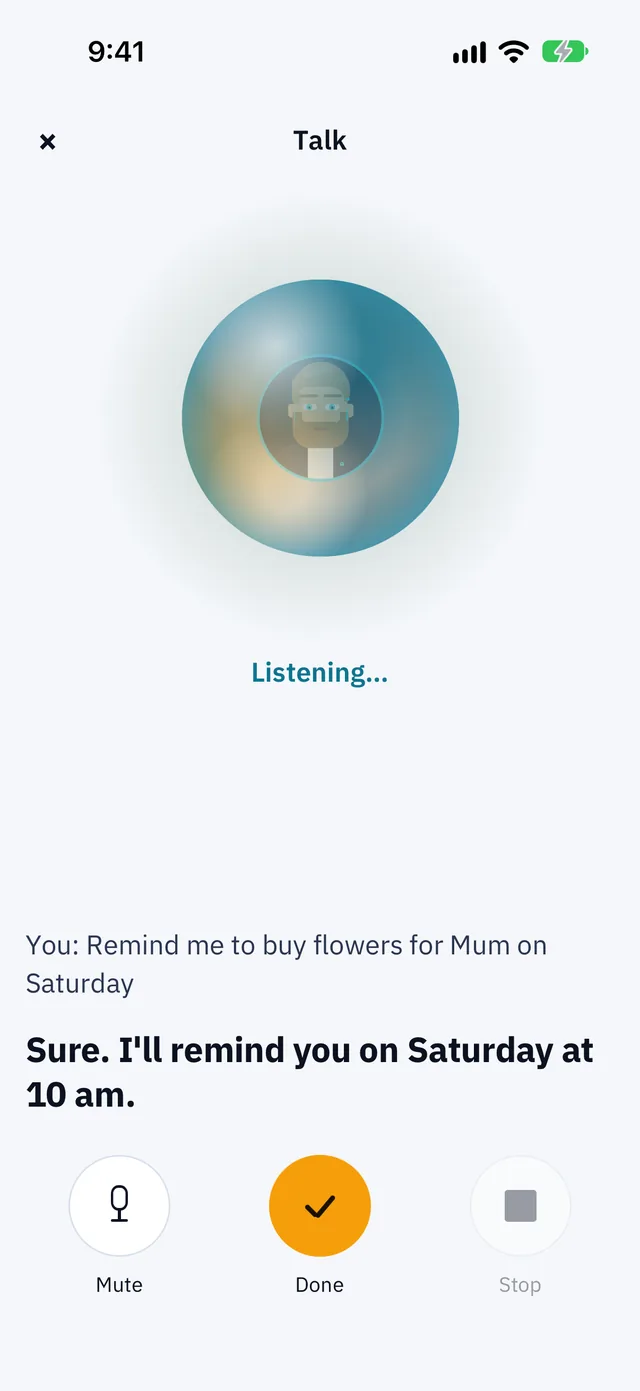
Your own Drive
All your files, in one safe place.
Send a file in the chat and it is kept in your Drive at once. hafbot finds it again when you need it, and works with it for you.
- Kept the moment you send itPhotos, PDFs and documents you send go straight into your Drive. No questions.
- It finds things for youAsk for "the lease from last month" and hafbot finds it, even by what is inside.
- Locked with your own keyEvery file is encrypted with a key unique to you, with a backup copy in a second place. Deleted files wait 30 days in the Trash.
Try sayingFind the lease I sent last month. When does it end?
PlansSpace: 1 GB on the free week, 10 GB on Personal, 50 GB on Pro, 200 GB on Creator, 500 GB on Power.
Learn more hafbotbot
- You:Lease-2026.pdf
- hafbot:
💾 Saved to your Drive: Lease-2026.pdf
Tell me what to do with it, or keep it there.✨ Ask hafbot about it - You:
When does it end?
- hafbot:
On 31 Dec 2026. To renew, tell the landlord before 1 Dec. Want a reminder on 20 Nov?
Photos on request
Describe it. Get the picture.
Ask for a picture in your own words, in Arabic or English, and hafbot makes it. Send your own photo and ask for a change.
- Make or changeNew pictures from a few words, or edits to a photo you send.
- Words in the picturePosters, menus and offers with your text, in Arabic or English.
- Ready to useUse it, make another, edit it or post it, with one tap under each photo. Posting still asks your OK.
Try sayingMake a poster for our saffron latte, warm colours, the words "Back this week".
PlansPhotos a month: 20 on Personal, 60 on Pro, 200 on Creator, 400 on Power, and 5 during the free week.
Learn morehafbotbot- You:
Make a poster for our saffron latte, warm colours, the words "Back this week"
- hafbot:✅ Use it🔁 Again✏️ Edit📲 Post it
Your Instagram, handled.
hafbot posts for you, reads your messages and follows up with people who comment. Every post and every message waits for your OK.
- Posts, stories, reels and carouselsYou see the exact picture, caption and account first. Post now, edit or cancel.
- Your messages, answeredIt sums up your Instagram messages and drafts replies in your tone. You approve each one.
- Follow up with commentsSomeone comments "price"? It writes a private reply for each person, all on one card you check. Always within Instagram's own rules.
Try sayingPost this photo on Instagram with a short caption about our new hours.
PlansEvery plan, with a professional (business or creator) Instagram account.
Learn more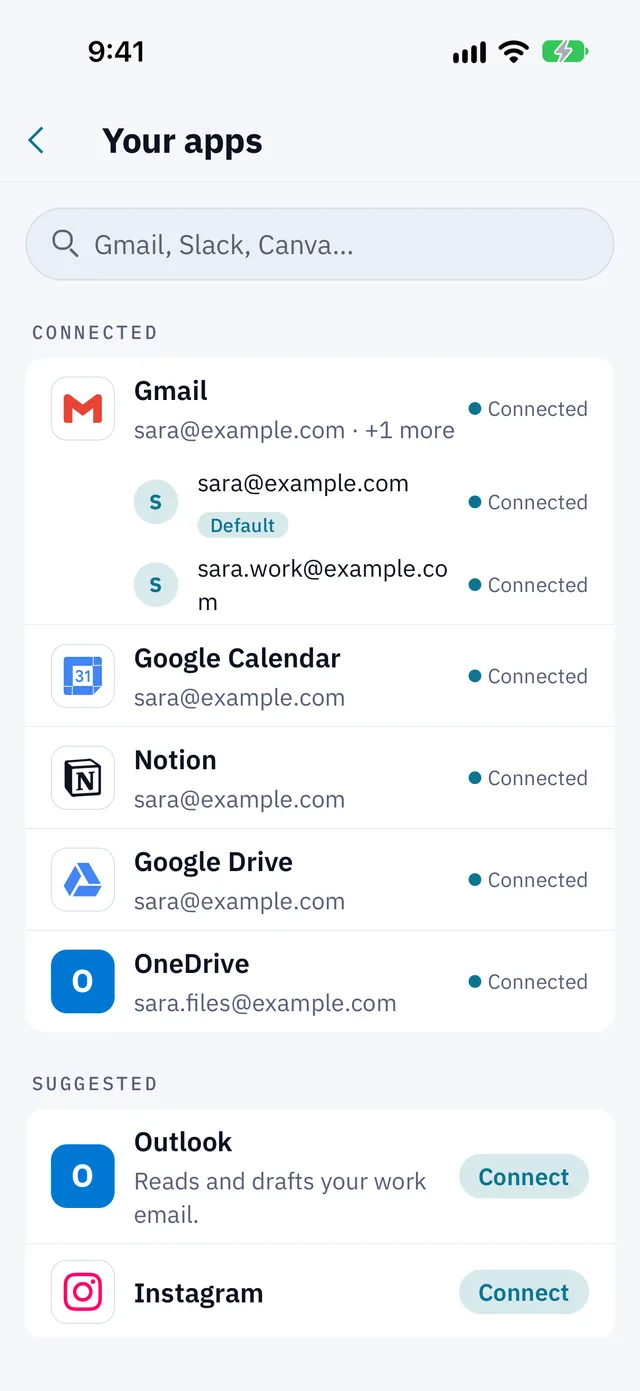
Your own AI keys
Already pay for AI? Use it here.
If you have your own account with an AI company, add its key once. hafbot then uses it for pictures, video clips, voice and more, without touching your plan.
- Kept in a locked vaultChecked once when you add it, then shown only as its last 4 characters. Never on your computer, never in the chat.
- The price firstBefore a picture or clip on your key, you see what your AI account charges for it and say yes.
- Removed anytimeTake a key out with one tap. Deleting your account deletes your keys too.
Try saying/keys
PlansFree on Personal, Pro, Creator and Power. During the free week, for pictures.
Learn morehafbotbot- You:
/keys
- hafbot:
🔑 Use your own AI account for extras. Pick one:
PicturesVideo clipsVoice - hafbot:
✅ Key saved and checked. It shows as ••••7Q2f.
Bring your memory
It already knows you.
Used another AI assistant before? Bring what it knows about you, and hafbot picks up where you left off. You see every line before anything is saved.
- Three simple stepsCopy one message, paste it into your other assistant, and paste its answer back. A file works too.
- You choose what stayshafbot shows what it found. Untick anything that is wrong, then save.
- Yours to changeSee, edit or delete anything it knows in Memory in the app, anytime.
Try sayingBring my memory from my other assistant.
PlansEvery plan, in the app and in My hafbot on the web.
Learn morehafbotbot- You:
Bring my memory from my other assistant.
- hafbot:
Bring your memory
1. Copy the message below (tap it).
2. Paste it into your other AI assistant.
3. Copy its answer and paste it here, or send it as a file. - hafbot:
I found 14 things about you
✅ Save all 14👀 Review
Jobs while you sleep
Go to sleep. Wake up to it done.
Say what you need done tonight. hafbot works through the list on its own computer while you sleep, and sends one summary in the morning.
- You see the list firstEach job comes with about how long it takes. Nothing starts until your sleep hours begin.
- Nothing goes out while you sleepEmails, posts and bookings are prepared and wait for your OK in the morning.
- Results in your DriveDocuments, lists and drafts are saved, with a link to each in your morning summary.
Try sayingTonight, compare three gyms near me.
PlansJobs while you sleep: 2 on the free week, 3 on Personal, 5 on Pro, 10 on Creator, 20 on Power. You can add 5 more for a month.
Learn morehafbotbot- You:
Tonight: compare three gyms near me.
- hafbot:
One job for tonight. It starts at 11 pm. Nothing is sent while you sleep.
Sleep hours - hafbot:
Good morning. Done: the gym comparison, with prices and sources.
gyms.xlsx
Arabic first
One tap, and everything is in Arabic.
Pick Arabic once and hafbot talks, writes and shows every button in Arabic. Or let it answer in whatever language you write.
- One choice switches everythingChat, buttons, menus, emails and your account on the web all follow your language.
- Your dialect, your voice notesGulf Arabic, Arabizi or a mix with English, typed or spoken.
- Right to left, done rightEnglish names, numbers and links sit cleanly inside Arabic text.
Try saying/language
PlansEvery plan.
Learn morehafbotbot- You:
/language
- hafbot:
Which language should I use?
العربيةEnglishMatch my messages - You:
العربية
- hafbot:
تمام، من الحين كل شي بالعربي 👍
Private by design
Your data stays yours.
Your own computer, your files locked with your own key, and nothing goes out without your OK.
- Nothing goes out without your OKEvery email, post, message or booking shows you a card with the exact content first. What you approve is exactly what goes out, and it never changes afterwards.
- Your own private computerYour hafbot works on a cloud computer that is yours alone, never shared with other users. It sleeps when you are not using it.
- Locked with your own keyYour files in Drive and your memory are stored encrypted, with a key unique to you.
Try sayingWhat do you know about me?
PlansEvery plan.
How we protect youhafbotbot- hafbot:
I need your OK
- To
- sara@noon.com
- Subject
- Tomorrow at 11
Hi Sara, tomorrow at 11 works for me. See you then.
Yes, go aheadCancel